
AI Dating Photos That Look Real (And Get More Matches)
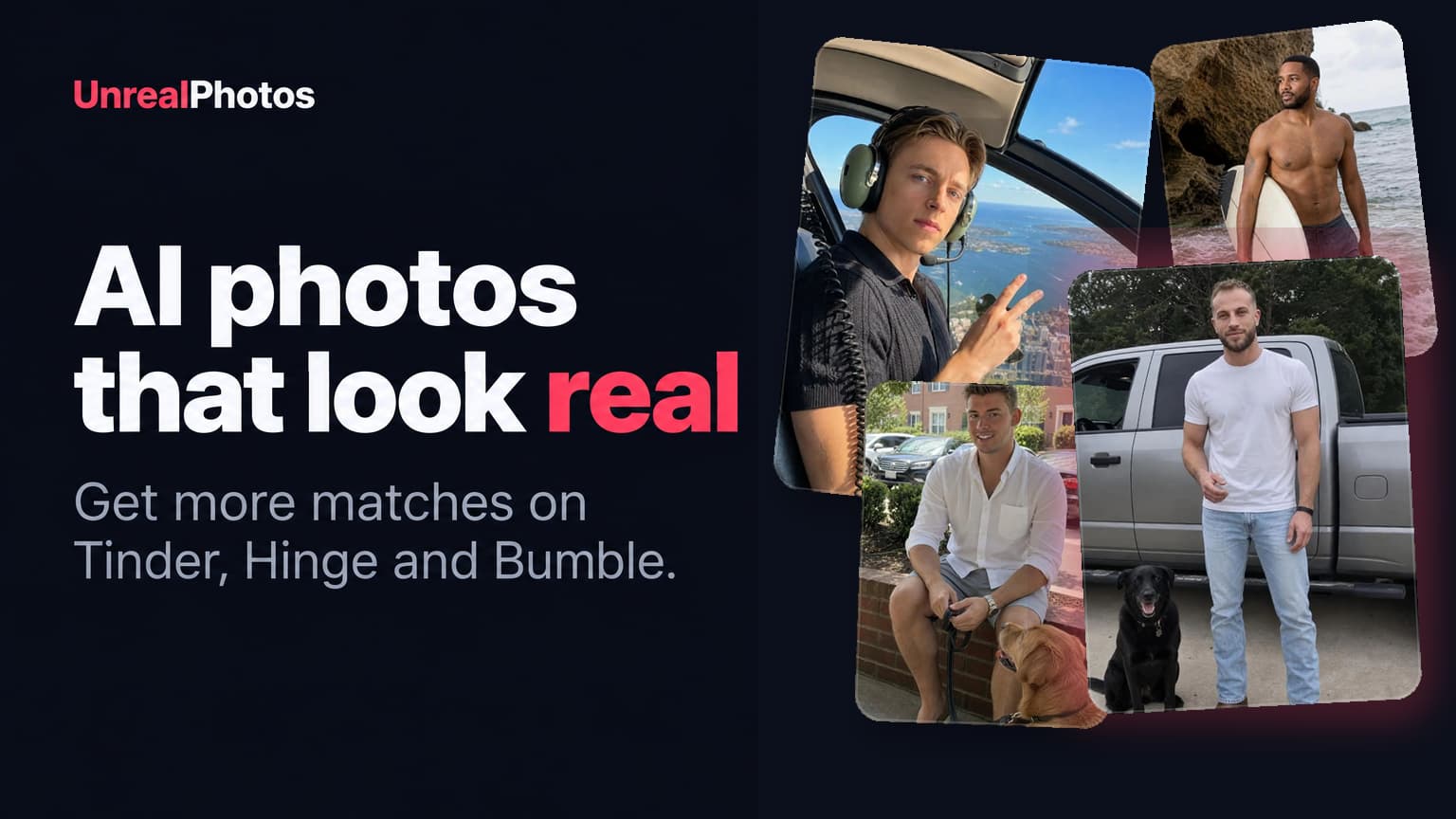
AI dating photos can either skyrocket your results on dating apps, or they can totally flop. The devil is in the details.
In this guide, I'm going to show you the difference between AI photos that fail and AI photos that succeed, so you can avoid the common pitfalls and start getting way more matches and dates.
What Are AI Dating Photos?
AI dating photos are profile pictures generated from real photos of your face. Instead of hiring an expensive photographer, you upload several reference pictures to an AI dating photo generator and create new images featuring different outfits, locations, and activities. These pictures can then be used on Tinder, Hinge, Bumble, and other dating apps.
AI Dating Photos vs. a Professional Photoshoot
Up until recently, if you wanted to get great results on dating apps, you would need to schedule a photoshoot with an experienced photographer.
Here is the issue. Pro photoshoots for dating usually suck. Photographers are generally great at taking headshots, LinkedIn photos, and weddings. But they are not that great at making the switch to dating photos.
The pics would often come out too posed. Here are some examples that I quickly dug up online just by searching "professional photoshoot dating."

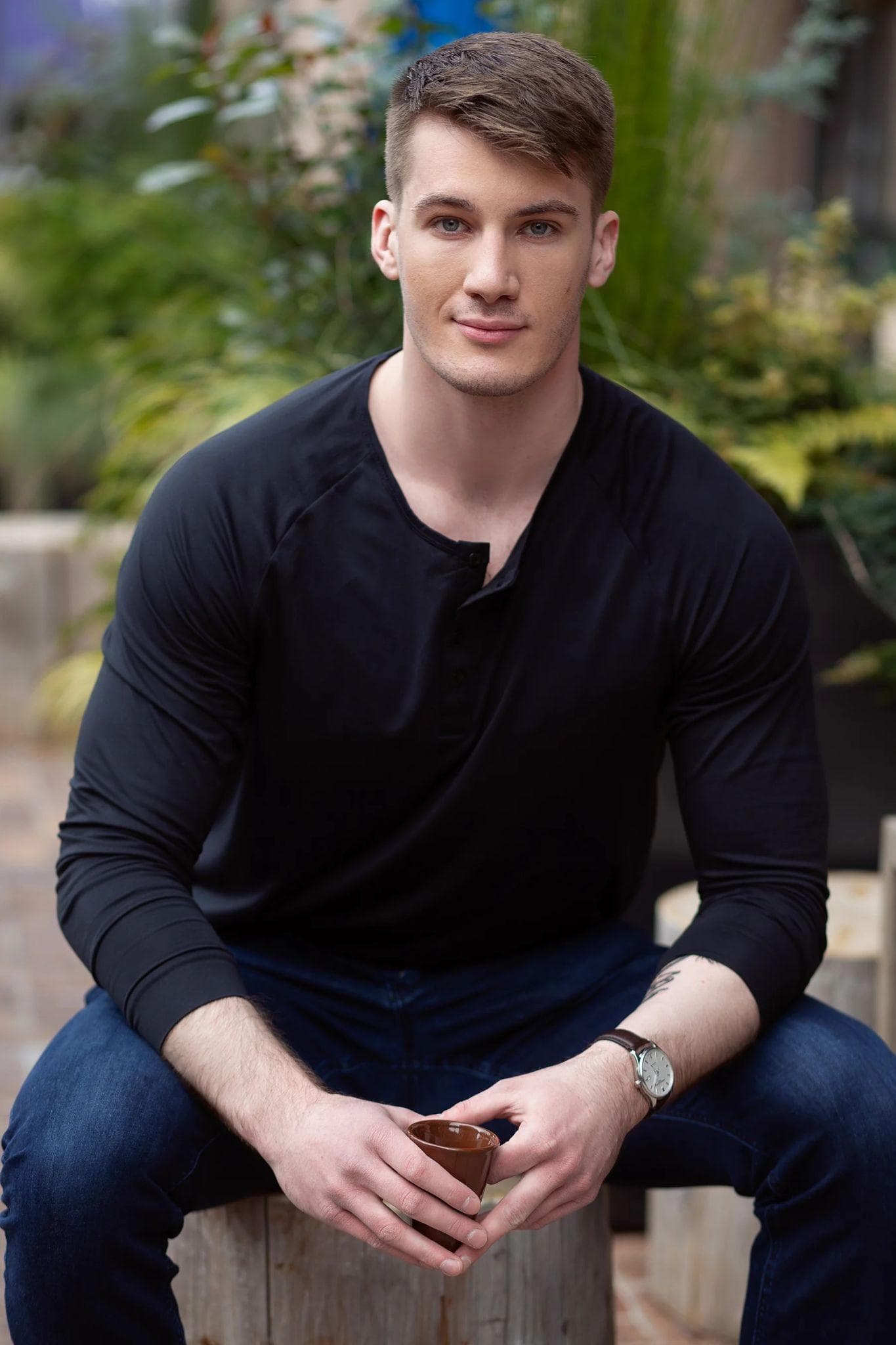
The issue with both is that they just look like you hired a photographer and were posing for the camera. This is a big turn-off for girls on dating apps.
The profiles that perform the best have photos that look very natural, like you were just doing some cool activity and your friend popped a photo without you even realizing. I'll show examples later.
In addition, pro photoshoots are expensive (a minimum of $1,000 for a good photographer) and require a full day's worth of work. And if you have a hard time relaxing in front of a camera, or are just not photogenic, the results will be subpar.
Do AI Dating Photos Actually Work?
Yes, but with a caveat. Most photo generators online are not that good when it comes to dating app photos. They either make it too AI-exaggerated, or they produce something that just doesn't look natural.
To test this, I asked Gemini to generate a photo of me with a dog, and here is what I got.
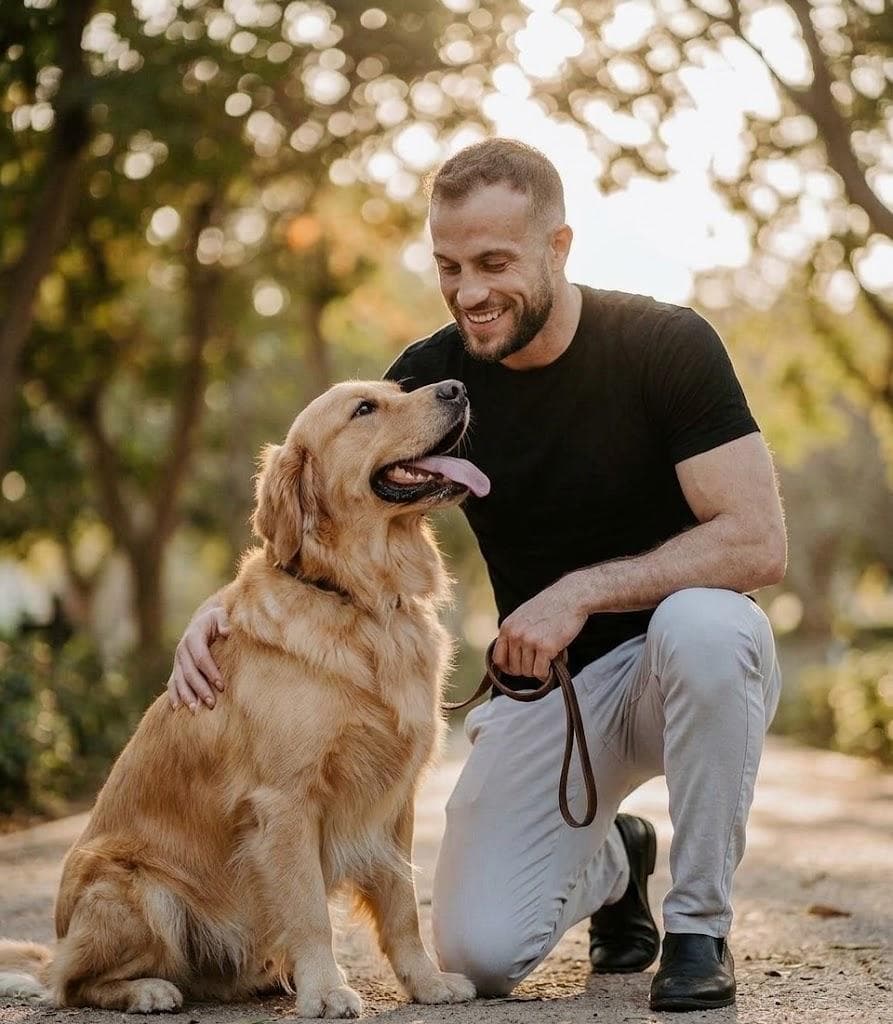
It looks cute, but girls will instantly be able to tell it's AI. And that's the problem with most photo generators.
In addition, there is the invisible watermark issue. Even though you can't see it, this photo has a watermark telling the platforms it is AI. That's why, if you try to post this to Instagram, it will instantly label it as AI.
However, UnrealPhotos doesn't do that. There is no invisible watermark of any kind. In addition, the photos look a lot more authentic. Here's an example of a dog photo I generated using this platform.
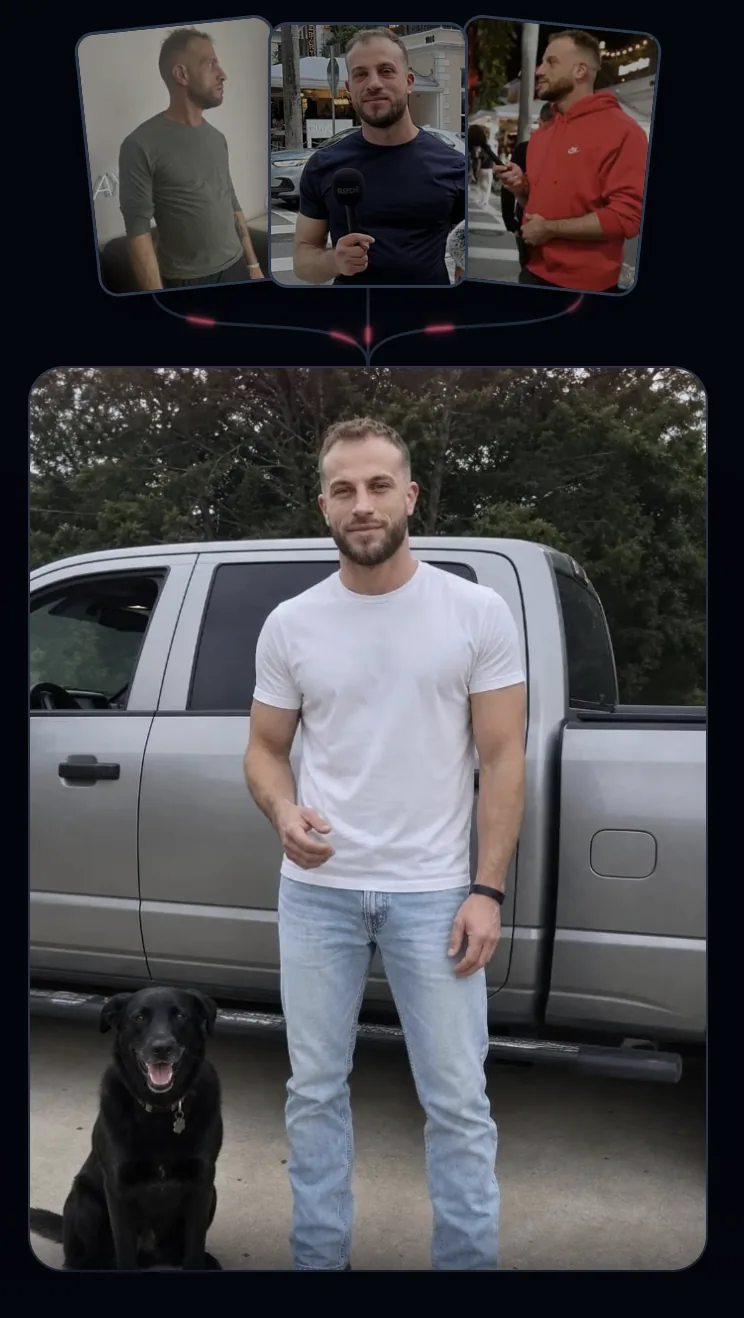
It looks totally real, and because of our anti-AI detection technology, dating apps and Instagram will have no idea this is AI-generated.
How to Create AI Dating Photos That Actually Look Like You
The first step is to sign up with Unreal. In addition, you need to use training photos where you look your absolute best. You don't need a professional photoshoot or anything. Just follow these steps.
- Go to the barbershop and get a fresh haircut (I recommend a fade), and if you have facial hair, make sure it's neatly lined up.
- Go outdoors during daylight and take a bunch of photos. Ones where you're looking left. Ones where you're looking at the camera. Ones where you are sitting down. You get the point. This should take you a maximum of 30 minutes, if not faster.
- Analyze all the photos and narrow them down to the 3 or 4 best ones. The tutorial when you sign up gives plenty of examples so you understand this better. In addition, the Premium and Pro plans come with a free consult, where an expert can pick the best ones for you and guide you every step of the way. Or, if you already have some photos where you look good, you can skip all of this, upload them, and boom, you're ready to go.
- Use the recommended templates. They are there because, after testing hundreds of different concepts, we narrowed it down to the 30 or so that typically perform the best.
Best Types of Photos for Dating Apps
Generating attractive pictures isn't enough. If all six photos are basically the same headshot with different backgrounds, your profile is still going to underperform.
The best dating profiles show multiple sides of your personality and lifestyle. Here are the types of AI dating photos I recommend creating.
1. A Strong Primary Photo
This is the most important photo on your profile because it determines whether a girl swipes left or looks at everything else.
Your face should be clearly visible, the lighting should be flattering, and there shouldn't be anything distracting in the background. Avoid sunglasses, group photos, or pictures taken from far away.
The goal is to look attractive, confident, and approachable.
2. A Natural Candid Photo
This is where most professional photoshoots fail.
You don't want it to look like you hired someone and spent ten minutes posing for the perfect shot. It should look like you were doing something interesting and a friend happened to capture the moment.
This could be you sitting at a café, walking through the city, hanging out on a rooftop, or relaxing somewhere outdoors.
3. A Well-Dressed Photo
Every profile should have at least one picture where you look sharp.
That doesn't necessarily mean wearing a full suit. A fitted button-down, stylish jacket, or clean night-out outfit can work just as well.
The purpose of this picture is to show that you can clean up when the situation calls for it. We have multiple templates just like this.
4. An Activity or Hobby Photo
Women don't just want to know what you look like. They want to imagine what spending time with you would be like.
Create at least one AI dating photo that shows you cooking, hiking, playing a sport, making music, traveling, or doing something else that reflects your personality.
5. A Shirtless Photo
According to a huge OkCupid study, these are the second most effective type of photo. We have dozens of shirtless templates for you to use.
The only catch is you can't be obese or a skeleton. But even if you're in average shape, you can still generate pics where you have a six-pack. No girl is going to call you out, because by the time your shirt comes off, she has already decided to sleep with you.
6. A Dog Photo
The #1 performing photo, according to that same study, was a dog pic. And my own experiences confirm this.
Photos with dogs can perform extremely well because they make you appear warmer and more approachable. If you don't have a dog, you can still use the dog templates. Worst-case scenario, she asks you about the dog and you just say it belongs to a friend.
With UnrealPhotos, you can generate all of these concepts without arranging multiple locations, outfits, and photoshoots.
Will This Really Make a Difference?
The answer is absolutely yes. We have a lot of users who report having more matches than they know what to do with. Here you can see an example.
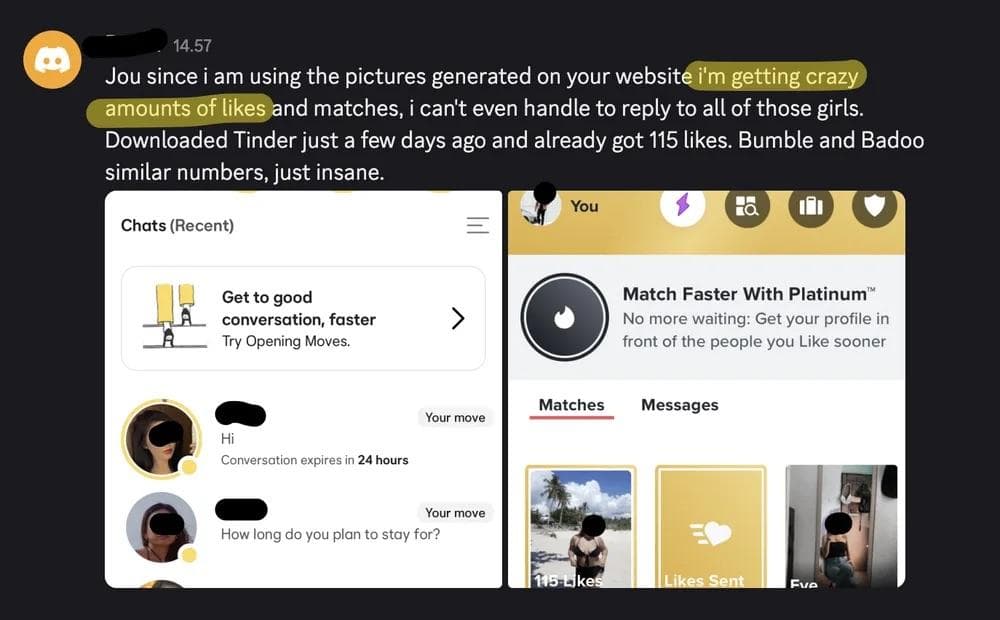
You can see a dozen other examples just like this on the home page.
Will Women Know My Dating Photos Are AI-Generated?
This is also a very common question we get. And the answer is no, the vast majority of the time. Some girls just think everything is AI. I have seen guys in my mastermind who use real professional photos get accused of using AI.
However, this will be a small number of girls. The majority will be impressed with your pics and thus eager to go on a date with you. If you can 10x your matches, it doesn't matter if 5% make a fuss.
How to Create AI Dating Photos With UnrealPhotos
It's very easy. Just go to unrealphotos.io and sign up for one of our plans. You won't regret it. And if you have some questions beforehand or along the way, we are here to help. Just email us at support@unrealphotos.io, and I will personally respond.
Frequently Asked Questions
Can I use AI photos on Tinder, Hinge, and Bumble?
Yes. You can use AI-generated pictures on major dating apps, although your photos should still accurately represent your real appearance. You can read our full breakdown of the rules and detection systems here.
How many photos do I need to create AI dating photos?
UnrealPhotos only requires three training photos. For the best results, use clear, recent pictures where your face is fully visible from slightly different angles.
Do AI dating photos actually look like you?
They can, but the quality of your training photos matters enormously. Use recent photos where you look your best, avoid sunglasses, and make sure your face is clearly visible.
What is the best AI dating photo generator?
UnrealPhotos is specifically built to generate realistic photos for dating apps and Instagram. Unlike generic AI image generators, it includes dating-focused templates and Anti-AI Detection technology.